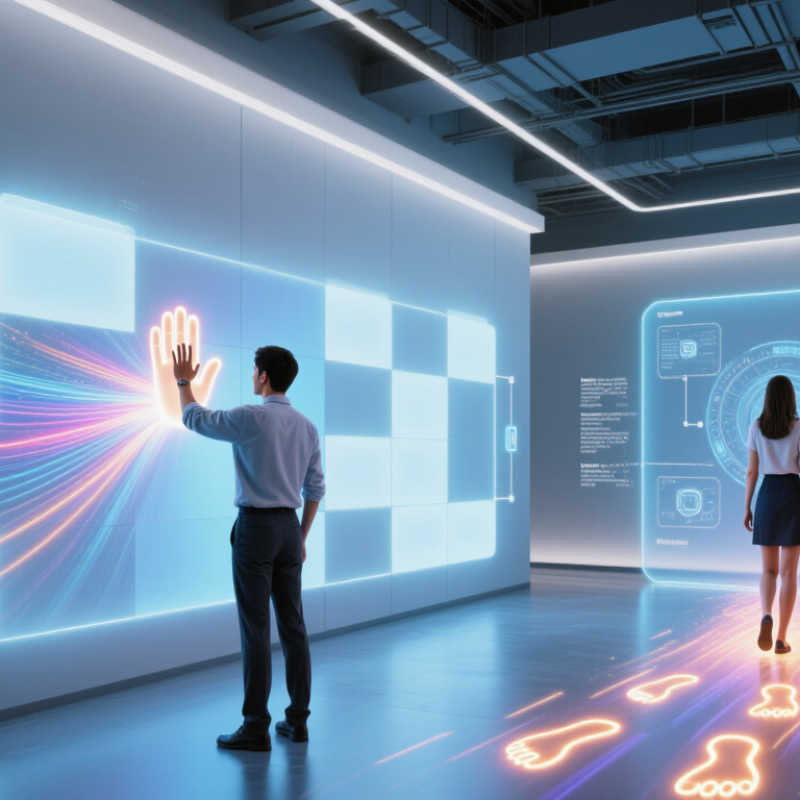
In 2026, what is interactive LED technology? It is a display system that responds to people, objects, or live information instead of showing only fixed content. Sensors may detect a hand near a wall, footsteps across a floor, or movement in a retail space. Software then changes the image, animation, or data on the LEDs. The result can feel immediate: a ripple follows a visitor, or a product display shifts as someone approaches.
The term can be fuzzy. Not every animated screen is interactive, and not every installation uses the same sensors. Some systems rely on touch; others use cameras, radar, pressure sensors, or connected software. As with any digital experience, response speed, viewing distance, brightness, and accessibility shape how well it works. A technically impressive display can still confuse people. That distinction matters.
A useful design principle comes from MIT Media Lab researcher Hiroshi Ishii and collaborator Brygg Ullmer. Their paper, “Tangible Bits: Towards Seamless Interfaces between People, Bits and Atoms,” describes the goal as creating “seamless interfaces between people, bits and atoms.” That idea helps explain interactive LED design: digital content should connect clearly with physical space and human action. In the sections ahead, we’ll look at how the technology works, where it is used, and what to consider before choosing a system. The promise is real. So are the trade-offs: sensors need careful placement, content needs thoughtful design, and a little delay can break the feeling of response.
What Is Interactive LED Technology in 2026?
Defining Interactive LED Technology in 2026
Interactive LED technology combines an LED display with sensors, software, and input tools that let people influence what appears on screen. A visitor might tap a wall-mounted panel, move a hand across a display, or use a phone to trigger content. The LED screen provides bright, modular visuals; the interactive system detects input and responds. Not just touch. Some installations use cameras or motion sensors, while others rely on touch overlays. The right setup depends on viewing distance, ambient light, user flow, and how quickly content must respond.
The term needs a clear boundary. A large LED screen is not interactive merely because it shows changing content; users must be able to affect the experience. MarketsandMarkets’ Interactive Display Market report estimated the broader market at US$45.7 billion in 2023 and projected US$65.2 billion by 2028. That category includes technologies beyond LED, so those figures are context, not an LED-specific forecast. In practice, teams should test response time, calibration, and readability before installation. A hand gesture that works in a quiet showroom may fail in a crowded lobby. It gets messy. Interactivity can also distract when the response feels slow or the purpose is unclear. The technology is useful, but good design still depends on observing real people using it.
Core Components of an Interactive LED System
An interactive LED system combines bright LED modules with a control processor, sensing devices, software, and a supporting structure. The modules create the image; the processor maps incoming video across the screen and coordinates refresh and brightness. Sensors, such as infrared touch frames or depth cameras, detect a hand near the wall. Software translates that input into an action, while network connections carry content and control signals. Power supplies and sturdy cabinets matter too. A loose connector can interrupt an otherwise impressive display.
The 2024 Industry Outlook and Trends Analysis from AVIXA estimated global professional audiovisual revenue at about $325 billion in 2024. That figure reflects the wider AV sector, not interactive LED systems alone, but it shows why reliable integration matters. Specify screen pixel pitch, viewing distance, and ambient light together. A bright lobby needs different settings from a dim gallery. One limitation deserves attention: cameras may misread gestures when glare, crowding, or unusual viewing angles interfere.
Tips: Test the complete system in its real room, not only in a showroom. Check touch response from the edges and center. Keep sensor lenses clear, label cables, and document brightness settings. Small details matter. Allow time for calibration; it often takes longer than expected.
How Sensors, Software, and LEDs Work Together
What Is Interactive LED Technology in 2026?
How Sensors, Software, and LEDs Work Together
Interactive LED technology links a physical action to a change in light. A proximity sensor might detect someone approaching a wall display. A camera can track movement, while a pressure sensor can register a step on a lit floor. Software filters these readings, identifies a useful input, and selects an effect. Then the LED controller adjusts color or brightness across specific sections. The process can happen in a fraction of a second. That delay matters. Poor calibration or crowded sensor data can make the response feel jumpy, even when the LEDs work perfectly.
A well-designed installation treats sensing, software, and lighting as one system. For example, a hand moving across a tabletop might trigger a trail of blue light. The sensor reports position; software maps that position to the display; the controller updates nearby LEDs. Designers also set limits for brightness and response speed, which helps keep effects readable in bright rooms. In practice, the setup may need repeated testing. Reflections, shadows, and unusual movement can expose flaws that were missed during planning.
Types and Applications of Interactive LED Technology
Interactive LED technology combines LED panels with touch, motion, or proximity sensors, so displayed content responds to people. Touch-enabled walls let visitors enlarge maps or product details with a fingertip. Camera-based systems can react when someone approaches, while floor displays respond to footsteps. Some setups use QR codes or phones, though these are interactive without direct screen touch.
Applications vary by setting. Retailers use responsive walls for product demonstrations; museums use them for layered exhibits. Schools can annotate large visual lessons, and event venues can turn audience movement into changing graphics. The distinction can blur in practice. A screen that only plays scheduled content is not truly interactive. Sensor placement, bright ambient light, and slow response times can also weaken the experience. Small flaws matter.
Grand View Research valued the global digital signage market at USD 28.83 billion in 2023 and projected an 8.1% compound annual growth rate from 2024 to 2030. That market includes more than interactive LED, so it is useful context, not a direct measure of interactive installations. That matters. For real projects, test the viewing distance, touch accuracy, and content update process on-site; impressive demos do not always reflect daily use.
Interactive LED Technology in 2026: Types and Applications
Typical LED pixel-pitch ranges by interactive application
Pixel pitch is the distance between neighboring LED pixels, measured in millimeters. These representative planning ranges vary by product and installation. Interactive experiences may use touch, camera, motion, or other sensor systems; the appropriate pitch depends on viewing distance and use.
Benefits, Limitations, and Developments in 2026
What Is Interactive LED Technology in 2026?
Benefits, Limitations, and Developments in 2026
In 2026, interactive LED systems pair bright, direct-view displays with touch frames, cameras, or proximity sensors. A visitor taps a map, and routes appear on the wall. That feels immediate. In museums and control rooms, modular panels can make large visuals easier to view. But interaction depends on calibration, software, and viewing distance—not just screen quality.
Energy claims need careful reading. The U.S. Department of Energy’s Energy Saver guidance says LED lighting uses at least 75% less energy than incandescent lighting. That figure describes lamps, not large interactive display walls. A bright wall can still draw considerable power, release heat, and require ventilation. Text may also look jagged up close if pixel pitch is too wide. Test content at the real viewing distance. This step is easy to miss.
Current development is moving toward finer pixel pitches, compact sensor integration, and faster content updates. These changes can reduce visible gaps and make interactions feel more responsive, but they may increase purchase and repair costs. Sensors need cleaning; touch systems need calibration. There is also the less glamorous issue of accessible alternatives for visitors who cannot use gestures. The DOE figure is useful context, not a promise of lower total energy use. Ask for measured power consumption, thermal limits, and a service plan before specifying a system.
FAQS
What makes an LED display interactive?
People must be able to change what appears. A screen showing changing content alone is not interactive.
Which inputs can an interactive LED system use?
It may use touch frames, cameras, proximity sensors, motion sensors, or pressure sensors. The right choice depends on the space.
What are the main parts of the system?
LED modules create the image. A processor, sensors, software, network connections, power supplies, and sturdy cabinets support the experience.
How does a gesture change the display?
A sensor detects movement, and software maps it to a screen position. The controller then updates nearby LEDs. Delays are noticeable.
What can affect sensor accuracy?
Glare, shadows, crowds, and unusual viewing angles can confuse sensors. A camera may miss a gesture in a busy lobby.
How should teams choose screen settings?
Match pixel pitch to viewing distance and ambient light. A bright lobby needs different settings from a dim gallery.
How can an installation be tested?
Test it in the real room with real users. Check touch response at the edges and center, and allow time for calibration.
Can interactive effects become distracting?
Yes. Slow responses or unclear effects can frustrate visitors. Start with simple visuals, then adjust one setting at a time. That is easy to overlook.
Conclusion
In 2026, what is interactive LED technology? It is a display system that responds to people or its surroundings, changing its light, color, imagery, or content in response to movement, touch, proximity, or other inputs. An interactive LED system typically combines LED panels, sensors or cameras, control hardware, and software. Together, these parts detect an input, interpret it, and trigger a visual response with minimal delay.
Interactive LED technology can be used in public displays, exhibitions, entertainment spaces, education, retail environments, and interactive installations. Its benefits include engaging experiences, adaptable content, and the ability to communicate information dynamically. However, performance depends on factors such as sensor accuracy, lighting conditions, system complexity, accessibility, and maintenance. Developments in 2026 are focused on more responsive interactions, improved integration between hardware and software, and flexible applications. Thoughtful design helps ensure that interactive displays remain reliable, intuitive, and useful for their intended audiences.
Aria is a dedicated marketing professional with a deep passion for innovative strategies and a keen understanding of our company's product offerings. With a wealth of experience in the industry, Aria excels at crafting engaging content that highlights the unique features and benefits of our......

 LYRA LED