How to Choose LED Displays for Trade Shows

Time:2026-11-10 Author:Liam
0%

Choosing LED displays for trade shows starts with the audience, the booth layout, and the viewing distance. A screen that looks sharp from two meters may appear soft from across a busy hall. Pixel pitch matters. So do brightness, refresh rate, resolution, and aspect ratio. A compact booth may need one crisp, vertical display, while a larger stand can use modular panels to create a wider canvas. Bigger is not always better.

Trade-show LED consultant Jordan Lee puts it this way: “Choose the display for the viewing distance, not just the booth size.” That principle helps teams compare options with practical details in mind. Check the venue’s lighting, available power, rigging limits, setup time, and access to technical support. Ask how quickly a panel can be serviced if a module fails. Test the actual video, too; fine text and fast motion can expose problems that a showroom demo hides. Details matter.

This guide explains how to choose LED displays for trade shows, from screen size and pixel pitch to content planning and rental-versus-purchase decisions. It also considers transport, installation, and the budget beyond the quoted screen price. Some choices remain imperfect: a brighter display can use more power, and a finer pixel pitch can raise costs. That trade-off deserves a real conversation, not a rushed guess. Teams that measure the booth and test content early are less likely to discover a mismatch on show day.
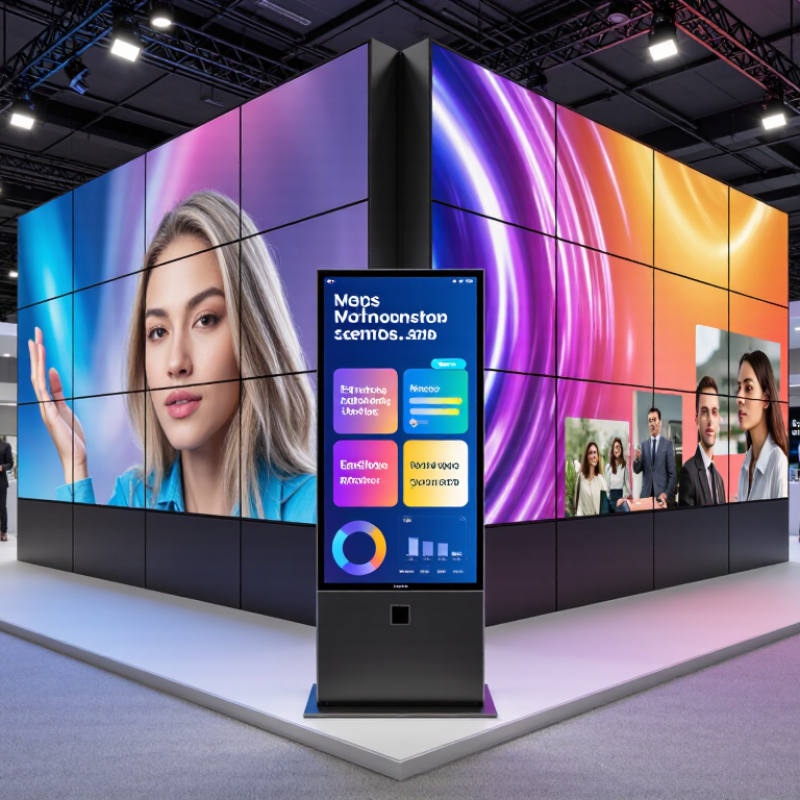
How to Choose LED Displays for Trade Shows

Identify the Goals and Audience for Your Trade Show Display

Before choosing an LED display, decide what visitors should do after seeing it. Do you want them to notice a new product, watch a short demonstration, or start a conversation? A clear goal helps determine screen size, placement, and content. Keep it specific. “Get attention” is hard to measure; “bring more visitors to a live demo” gives the team a useful target. Consider who will pass your booth, too. A technical audience may value diagrams and detailed figures, while busy attendees may only glance at a bold image and a few words.

Picture the aisle at peak traffic: people moving past, overhead lights reflecting, conversations competing with audio. These details affect whether a screen can be read and whether sound is practical. Match text size and contrast to the viewing distance, then confirm the venue’s display rules and available power before ordering equipment. A bright screen can help in a lit hall, but excessive brightness may distract rather than attract. Test your content from several steps away. It may look clear on a laptop and fail on the show floor. Plans are imperfect; leave room to adjust placement or simplify the message once you see the booth in context.

Compare LED Display Types, Sizes, Resolution, and Brightness

Trade-show LED choices should begin with the viewing distance, not the largest screen that fits the booth. Fine-pitch direct-view LED suits close viewing and detailed product imagery. Larger-pitch rental panels can work well for distant audiences and bold graphics. As a practical rule of thumb, a 2.5 mm pixel pitch looks more cohesive from around 2.5 meters away; test it at the actual viewing distance, because text and camera shots reveal flaws quickly. That matters.

Screen size depends on sightlines, booth width, and the amount of content visitors must read. A wide wall can make a small booth feel cramped, while a narrow screen may disappear behind people. For resolution, calculate the LED wall’s native pixel dimensions from its physical size and pitch. Then check that presentation files match, or fine text may look soft. AVIXA’s Display Image Size for 2D Content standard also bases suitable image size on viewing distance and content detail, rather than one universal screen size.

Brightness should suit the hall, not an outdoor billboard. Around 800–1,500 nits is a useful starting range for many indoor booths, but nearby spotlights can change the result. Ask to view a demo under similar lighting. AVIXA’s 2024 Industry Outlook projects global professional AV revenue to reach about $325 billion by 2029, reflecting a broadening event-technology market. Still, bigger and brighter are not automatically better; I’d leave room to revise the choice after checking sightlines and ambient light on site.

Match Display Specifications to Booth Space and Viewing Distance

A display that looks sharp in a warehouse can feel oversized inside a small booth. Measure the usable wall width, ceiling height, and distance from the aisle before comparing specifications. Leave room for lights, signs, and people moving through the space. Crowded layouts happen easily.

Viewing distance helps guide pixel pitch. Visitors standing one or two metres away may notice individual pixels on a coarse-pitch screen, especially with text or product details. From farther across a wide aisle, that difference is less obvious. Check sample content at the expected viewing distance, not only on a laptop. Small text is unforgiving.

Brightness should suit the venue. Indoor halls often have strong overhead lighting, but maximum brightness is not automatically better; it can make faces and colours look harsh. Ask the venue about lighting conditions, and confirm the display’s brightness can be adjusted. Also check power access, mounting limits, and cable routes before ordering. I would leave more setup time than seems necessary; booth plans rarely account for every obstruction. A test fit can reveal awkward sightlines, such as a screen partly hidden by a counter or neighbouring exhibit. Each specification should serve the actual booth, not an imagined one.

Check Content, Connectivity, Power, and Installation Requirements

Match the display to the content visitors will actually see. Fine text and product details need enough pixel resolution to remain clear from the expected viewing distance. Brightness matters too: a screen beside sunlit windows may need more output than one in a dim booth. Ask the event team about ambient light and viewing angles before choosing a size. Check signal compatibility with the playback device, including available ports, cable lengths, and supported formats. Bring adapters. Test the full playback chain, not just the screen, with the actual presentation files. A video that works on a laptop may still stutter through an unfamiliar media player.

Power planning can be less obvious than screen selection. Confirm the display’s rated and peak power draw, then ask the venue which circuits are available. Leave room for the playback computer and other booth equipment; an overloaded circuit can interrupt a presentation. For installation, measure doorways, freight lifts, booth height, and the space needed for stands or wall mounts. Confirm who supplies rigging, tools, and labor, and follow the venue’s installation requirements. Keep ventilation openings clear, and route cables where visitors cannot trip over them. Small details get missed. I would recheck measurements on site, because floor plans and real booth conditions do not always match.

How to Choose LED Displays for Trade Shows - Check Content, Connectivity, Power, and Installation Requirements

Planning area What to check Practical guidance Example planning check
Content and viewing distance Screen dimensions, resolution, pixel pitch, viewing distance, and the type of content to be shown. Choose a pixel pitch that suits the closest expected viewing distance. A rough starting point is that a pitch of 2 mm may suit viewing from around 2 m, but viewing conditions, content, and display design affect the result. Review actual content at the intended distance where possible. For a booth with visitors standing about 2–4 m away, compare suitable pitch options and test text, product images, and video at the planned screen size.
Content format Aspect ratio, resolution, frame rate, file format, and whether content will be static, animated, or live. Confirm the display’s native resolution and processor compatibility before producing content. Keep important text and logos away from screen edges, and check that video playback settings match the show system. Request the display resolution and recommended content specifications from the supplier, then export a test file using those settings.
Connectivity and control Input types, signal path, cable lengths, playback equipment, control method, and backup options. Check that the source device and display processor support the same signal formats, such as HDMI or DisplayPort. Confirm cable routing, adapter needs, control access, and whether the setup requires network connectivity. Document the path from media player or computer to processor to display; pack tested spare cables and an alternate playback source.
Power requirements Rated voltage, maximum and typical power consumption, connector type, and the number and rating of available circuits. Use the display’s technical documentation to estimate the load. For a preliminary estimate, divide total power in watts by supply voltage to estimate current in amperes; final circuit planning should account for applicable electrical rules and venue requirements. For a 1,200 W load on a 120 V supply, the simple estimate is 10 A. Confirm the actual load, circuit capacity, and any other equipment sharing the circuit with the venue electrician.
Installation and support Mounting method, total weight, support structure, access for assembly, ventilation, and service access. Verify that the stand, wall, truss, or other support is rated for the complete installed load. Plan for safe assembly, cable management, airflow, and access to connections. Follow the display manufacturer’s installation instructions and venue rules. Record the display dimensions and total installed weight, then obtain approval for the proposed support and rigging method before shipping or setup.
Venue and logistics Booth limits, ceiling height, loading access, installation schedule, storage, and local safety requirements. Check exhibitor manuals and venue deadlines for height restrictions, rigging approval, electrical orders, and move-in procedures. Allow time for delivery, assembly, testing, and dismantling. Confirm booth dimensions, permitted display height, delivery window, power location, and required installation approvals with the event organizer.
Testing and contingency Signal testing, spare parts, backup content, troubleshooting contacts, and recovery plan. Test the complete signal and power setup before the event opens. Keep a copy of approved content and playback settings, and identify who can respond if a module, cable, or source device fails. Run a full-screen test with the planned source device and cables, verify all display sections, and store a backup content file on a second device.

Compare Costs, Rental Options, Transport, and Technical Support

How to Choose LED Displays for Trade Shows

Compare the full cost, not just the screen rental. Ask for a written quote covering pixel pitch, processor, cabling, setup, dismantling, and overtime. A bright display may look impressive in a warehouse, but nearby booth lighting can wash out its image. Request a test with your actual content. Small text can fail.

Rental often makes sense for a one-off event, while frequent shows may justify buying. Compare total ownership costs over several events, including storage, repairs, and replacement parts. UFI’s 2024 Global Exhibition Barometer collected responses from 425 exhibition companies across 61 countries and regions. That broad sample reflects a varied market; there is no reliable universal rental price. Get comparable quotes with the same screen area and service scope.

Transport needs a line in the budget. Confirm packed dimensions, case weight, loading access, delivery windows, and who handles damage claims. A display that fits the booth may not fit the freight elevator. Ask whether spare modules and cables travel with the shipment. Technical support matters just as much: specify on-site coverage, response times, backup equipment, and a named contact. Freeman’s 2024 exhibition research emphasizes attendee expectations for purposeful, well-executed live experiences; a dark screen at opening time undermines that effort. I would still leave a contingency. Even careful plans miss something.

FAQS

What should I decide before choosing a display?

Set one clear goal, such as bringing visitors to a live demonstration. “Get attention” is hard to measure.

How should I tailor content to different visitors?

Technical visitors may value diagrams and detailed figures. Busy attendees may notice one bold image and a few words.

How can I check if text is readable?

Match text size and contrast to viewing distance. Test it several steps away, not just on a laptop.

Does a brighter screen always work better?

No. Brightness helps in a lit hall, but too much can distract visitors. Check the venue’s lighting.

What should I check before connecting playback equipment?

Confirm ports, cable lengths, and supported file formats. Test the full setup with your actual presentation. Bring adapters.

How should I plan booth power?

Confirm the display’s rated and peak power use with the venue. Include the computer and other equipment. Circuits can be overloaded.

What should I measure before installation?

Check doorways, freight lifts, booth height, and mounting space. Floor plans can be wrong. Recheck on site.

How can I make installation more practical?

Confirm who supplies tools, labor, and rigging. Keep vents clear and route cables away from walking paths. Details slip.

Conclusion

Choosing the right LED display for a trade show starts with a clear understanding of your goals and audience. Decide whether the screen should attract attention from across the venue, present detailed product information, or support live demonstrations. Then compare display types, screen sizes, resolution, and brightness to find an option that remains clear and engaging in the event’s lighting conditions.

A practical guide to how to choose LED displays for trade shows also considers the booth layout and the distance from which visitors will view the screen. Check that the display supports your content formats and connectivity needs, and account for power access, installation time, and safe placement. Finally, compare the total costs of purchasing or renting, including transport and setup, and confirm that technical support is available when needed. Matching these details to your objectives can help create a dependable display that fits both your space and budget.

Liam

Liam

Liam is a dedicated marketing professional with a profound expertise in the industry, where he excels at highlighting the unique advantages of our core products. With a keen understanding of market trends and consumer needs, Liam frequently updates our company’s professional blog, providing......