How to Calibrate Color on LED Walls for Perfect Display?

Time:2026-06-22 Author:Henry
0%

In the world of digital displays, achieving the perfect color calibration on LED walls is crucial. John Smith, a renowned expert in display technology, states, "Accurate calibration transforms a good display into an exceptional one." The importance of mastering how to calibrate color on LED walls cannot be overstated. It impacts not just aesthetics but also the viewer's experience.

Calibration involves adjusting brightness, contrast, and color settings. Each LED wall has its unique characteristics that can affect color output. Without proper calibration, displays may appear washed out or overly saturated. This can lead to viewer fatigue or misinterpretation of visual content. Many overlook the complexity of this task, believing that automatic settings are sufficient. However, subtle adjustments can yield significant improvements.

Understanding how to calibrate color on LED walls requires experience and technical knowledge. It often demands patience and keen observation. The process may reveal unexpected flaws in display technology. As professionals work through calibration, they may discover areas needing further refinement. This ongoing quest for perfection is what drives advancements in display technology.
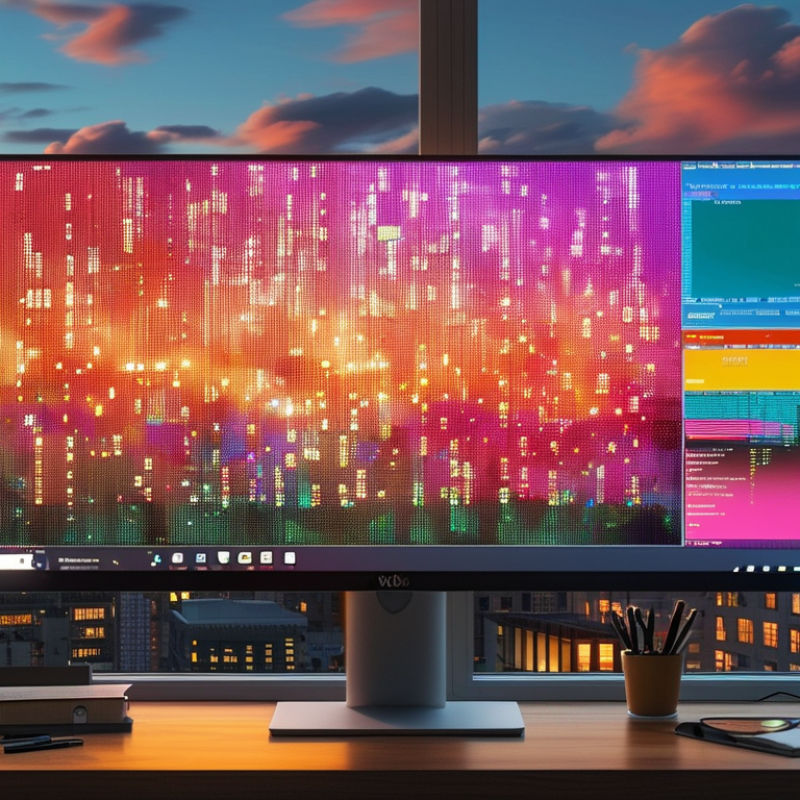
How to Calibrate Color on LED Walls for Perfect Display?

Understanding the Basics of LED Wall Color Calibration

Calibrating color on LED walls is essential for achieving stunning visuals. Proper calibration ensures consistency and accuracy in color representation. Understanding the basics is the first step toward effective calibration.

LED walls can display vibrant colors, but that does not mean they are perfect out of the box. Each panel may have slight variations in color due to manufacturing differences. This inconsistency can lead to distracting visual discrepancies in large displays. To address this, one must use a color meter and software tools for precise adjustments.

Many users overlook the ambient lighting's effect on color perception. It's important to calibrate under different lighting conditions. This can help create a more accurate display tailored to the viewing environment. Remember, calibration is an ongoing process. Regular checks can reveal shifts in color performance over time. Each adjustment brings improvement, but it requires patience and keen observation.

How to Calibrate Color on LED Walls for Perfect Display? - Understanding the Basics of LED Wall Color Calibration

Calibration Step Description Tools Required Frequency
White Balance Adjustment Adjusting the RGB levels to achieve true white. Colorimeter, Calibration software Monthly
Gamma Correction Ensuring the correct luminance response for various colors. Calibration software Quarterly
Color Calibration Adjusting color settings based on the desired output profile. Spectrophotometer, Calibration software Biannually
Brightness Calibration Adjusting brightness levels to match the ambient light. Luminance meter, Calibration software Weekly
Uniformity Check Verifying uniformity of brightness and color across the display. Colorimeter, Test patterns Monthly

Tools and Equipment Needed for Color Calibration

Calibrating color on LED walls requires specific tools to ensure accuracy. Colorimeters and spectrophotometers are essential for measuring color and brightness levels. A reliable colorimeter can provide precise data on a display's performance. Professional reports indicate that calibration can reduce color errors by a notable percentage, improving overall image quality.

Software tools play a crucial role in this process. Calibration software helps adjust settings to achieve desired results. This software can analyze readings and suggest optimal configuration settings. Advanced programs allow users to create color profiles, essential for various applications. Without the appropriate software, achieving an accurate display is nearly impossible.

Reflecting on calibration practices, many professionals overlook the necessity of regular checks. Over time, displays may drift from their calibrated state. Neglecting this can lead to significant discrepancies in color representation. Regular calibration not only maintains quality but also enhances viewer experiences. Therefore, investing time in learning and maintaining these tools is vital for achieving perfect displays.

Step-by-Step Process for Calibrating LED Wall Colors

Calibrating color on LED walls requires a precise approach. Start by selecting a standard reference image for consistent testing. This can help ensure colors appear uniform across the entire display. Use a colorimeter for accurate measurements. It helps identify color discrepancies and guides adjustments based on your target values.

Tips: Regularly check your calibration settings. Environmental changes can affect color accuracy. Make adjustments as needed to maintain quality.

Next, adjust the brightness and contrast settings. High brightness might lead to color distortion, while low levels can wash out details. Balance these settings to achieve true-to-life colors.

Tips: Consider ambient lighting in your environment. It can drastically affect how colors appear on your LED wall. Ensure lighting is consistent with your display's purpose.

Finally, conduct regular tests using different content types. Video, images, and graphics can require different calibrations. Keep refining your process based on what works best. Every LED wall will require a unique approach to achieve ideal color balance.

Common Calibration Techniques and Practices

Calibrating color on LED walls is essential for a stunning display. Understanding common calibration techniques can elevate the viewing experience. One widely used method is white balance adjustment. This involves tweaking the RGB levels until the whites appear neutral. It requires keen observation. Each LED wall may react differently to adjustments, making this step sometimes tricky.

Another technique is gamma correction. This helps in balancing the brightness and contrast. A good gamma setting allows for better detail in darker areas. Calibration software can assist, but human judgment remains vital. Users should be prepared for some trial and error here. It’s not uncommon for results to vary after adjustments. This inconsistency necessitates regular testing to ensure accuracy.

Color profiling also plays a crucial role. It creates a reference for future calibrations. Without this, achieving consistent results can be challenging. Some professionals may overlook this step, leading to significant discrepancies. Documenting the calibration process is recommended. Reflecting on each session helps practitioners learn and improve their techniques over time.

Troubleshooting Common Calibration Issues on LED Walls

When calibrating color on LED walls, common issues may arise that disrupt the overall display quality. One frequent problem is discrepancies in color accuracy. This often happens due to improper settings or the ambient lighting affecting perception. Regularly checking and adjusting settings can mitigate this issue. Moreover, aging components may lead to inconsistent brightness across the display, making uniformity a challenge.

Tip: Always calibrate in the environment where the display will operate. This ensures accurate color representation.

Another challenge is the calibration equipment itself. Sometimes, it may not provide the reliability needed for precise color matching. Relying on low-quality tools can lead to miscalibrated colors and viewer frustration. Regular maintenance and upgrades of equipment can enhance performance and reliability.

Tip: Keep a log of calibration settings and adjustments. This helps identify patterns or repeated issues over time.

Lastly, communication with the display team is essential. Misunderstandings about display goals can lead to dissatisfaction with the final product. Encourage open discussions to fine-tune expectations. Reflecting on past calibrations can help improve future processes.

FAQS

: What tools are necessary for color calibration on LED walls?

: You need colorimeters and spectrophotometers to measure color and brightness accurately.

How can calibration software assist in the calibration process?

Calibration software adjusts settings and analyzes readings to suggest optimal configurations.

Why is regular calibration important?

Displays can drift from their calibrated state over time, leading to color discrepancies.

What should I consider when adjusting brightness and contrast?

Avoid high brightness to prevent distortion. Low brightness may wash out details.

How does ambient lighting impact color accuracy?

Ambient lighting can drastically change color perception, making consistent lighting crucial.

What are common calibration issues with LED walls?

Discrepancies in color accuracy and inconsistent brightness can arise from improper settings.

How can I improve the reliability of my calibration equipment?

Regular maintenance and upgrades to your tools can enhance their performance significantly.

Why is communication with the display team important?

Clear discussions about display goals ensure everyone is on the same page, reducing frustration.

What should I do if color inaccuracies persist?

Regularly check and adjust settings to mitigate any ongoing discrepancies in color representation.

How can I refine my calibration process?

Conduct tests with various content types and adjust based on what works best for your display.

Conclusion

Calibrating color on LED walls is essential for achieving high-quality displays that accurately reflect the intended visuals. To understand how to calibrate color on LED walls, one must begin by grasping the basic principles of color calibration. This involves familiarizing oneself with the tools and equipment necessary for the task, such as colorimeters and software that help in adjusting color settings.

The calibration process itself consists of several key steps, including measuring current display settings and adjusting them to align with desired color standards. Employing common calibration techniques, such as white balance adjustment and gamma correction, will enhance display accuracy. Additionally, troubleshooting common issues, such as color drift or uneven brightness, is crucial for maintaining optimum performance of LED walls. By following these guidelines, users can ensure their LED displays perform beautifully, delivering vibrant and true-to-life imagery.

Henry

Henry

Henry is a dedicated marketing professional with a profound expertise in the company's offerings. With years of experience in the industry, he possesses an impressive understanding of the market dynamics and consumer behaviors that drive success. Henry is committed to sharing his insights through......